Music Creator: 10 sidebar mockups
For the v4 layout with the new bottom bar. The bar already has Home, Songs, Files, Social, More and the round Search, so these sidebars hold what the bar lacks (Playlists, Lyrics, Explore, Messages, Notifications, Settings) or add something new. Every option keeps all 10 current destinations. Tap a card: each one is clickable (menu, groups, search, stars, switcher) with a phone drawer and a desktop view, light and dark.
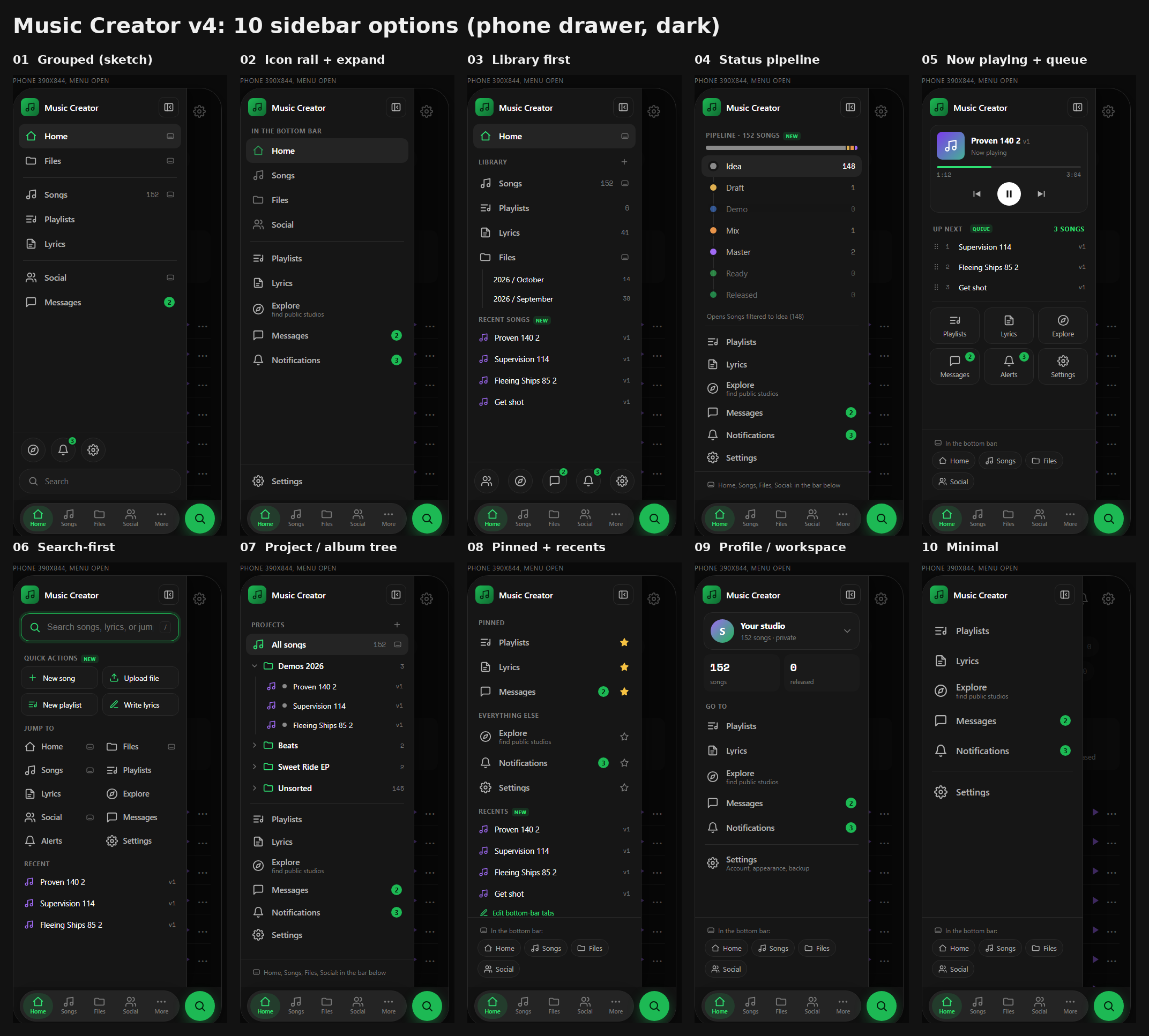
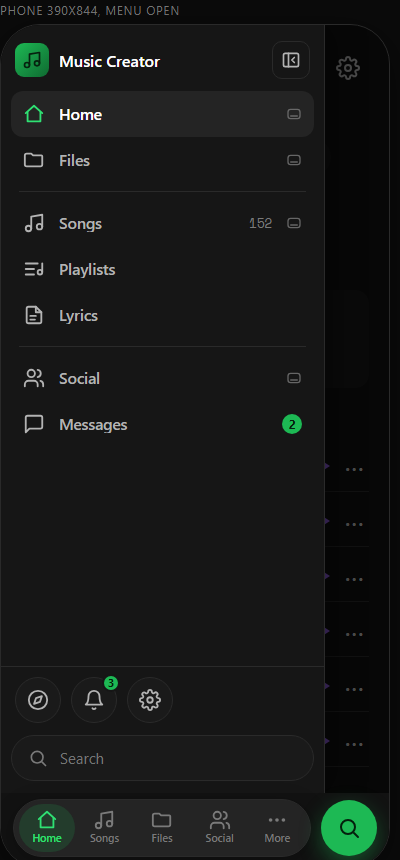
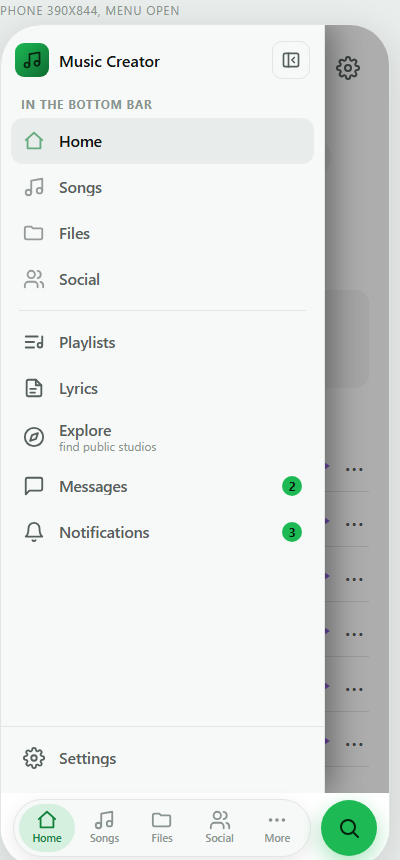
01 Grouped sections (your sketch)
Your queue-#8 sketch rebuilt for v4: Music Creator header, divider-ruled groups, Explore, bell with badge and a rounded Search field at the bottom.
More: More stays the v4 popup (Playlist, Lyrics, Queue, Messages, Explorer, Notifications, Search, Settings, Edit tabs): a quick shortcut. The sidebar is the full map.
Open clickable →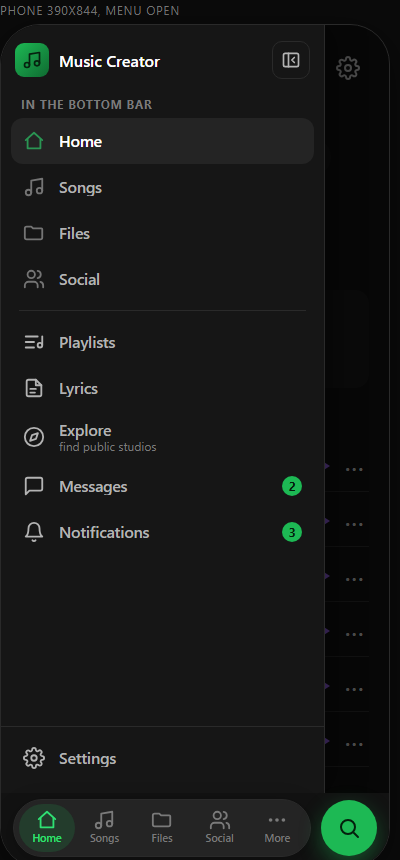
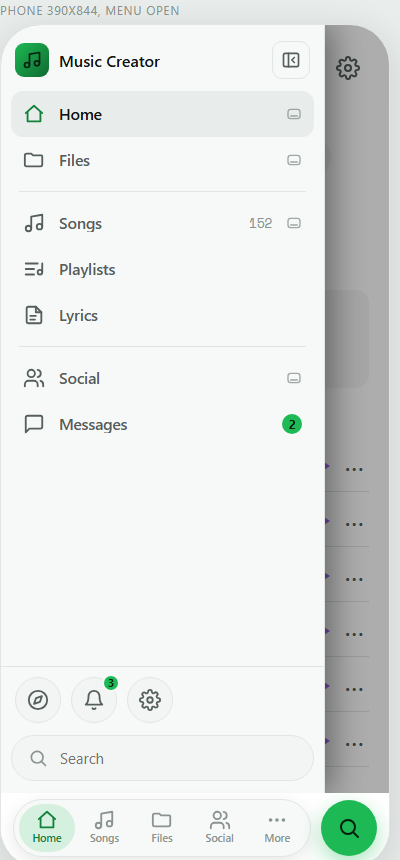
02 Icon rail + expand
A slim icon rail that expands to labels. Desktop starts as a 76px rail with tooltips; the phone drawer is the expanded version.
More: More becomes 'Menu': it opens this panel, so the popup goes away. One place for everything.
Open clickable →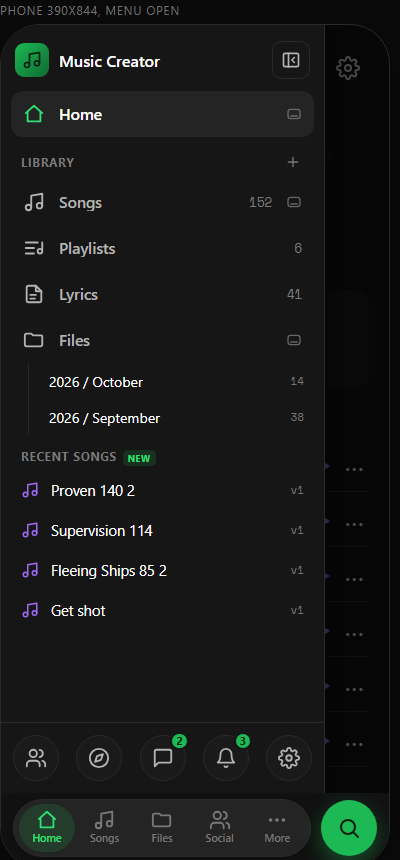
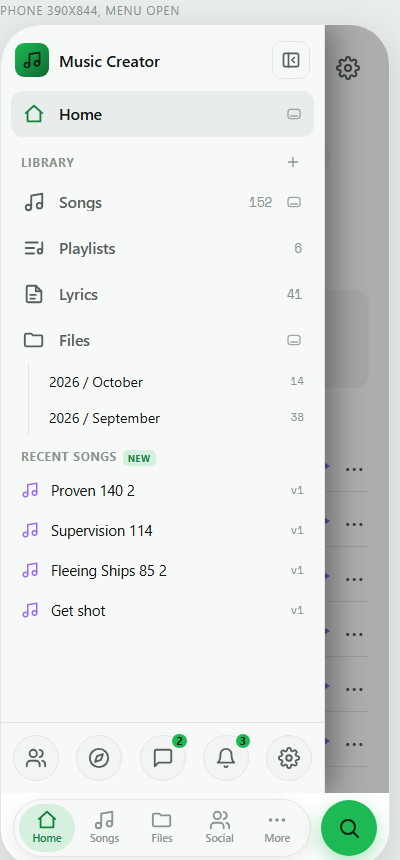
03 Library first
The sidebar is your library: Songs, Playlists, Lyrics, Files folders and your last four songs, with the social stuff in a footer strip.
More: More popup shrinks to the tools that are not a library: Queue, Search, Settings, Edit tabs.
Open clickable →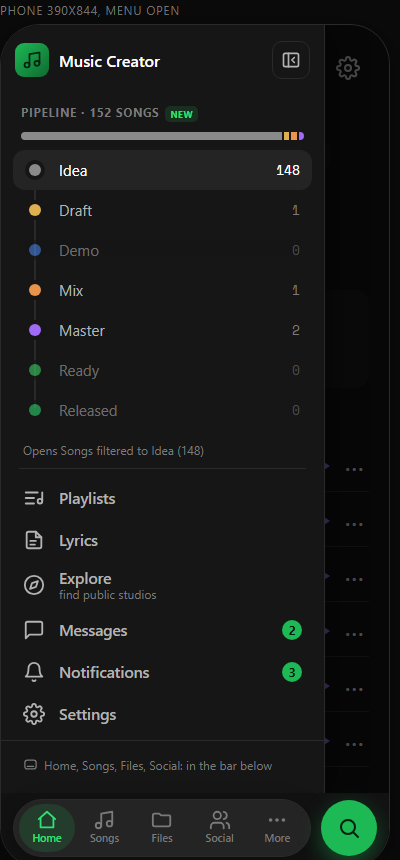
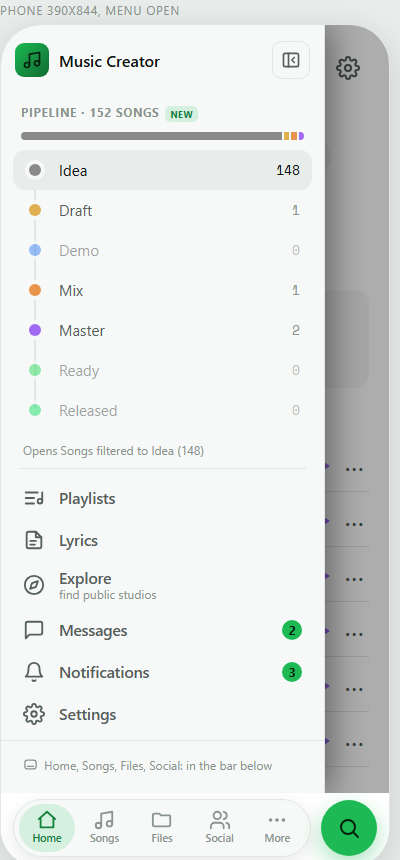
04 Status pipeline
Your Idea to Released pipeline as the top of the sidebar: one stacked bar plus a step list with real counts. Tap a step to filter Songs.
More: More popup unchanged. The sidebar adds something the bar cannot: where your 152 songs are in the pipeline.
Open clickable →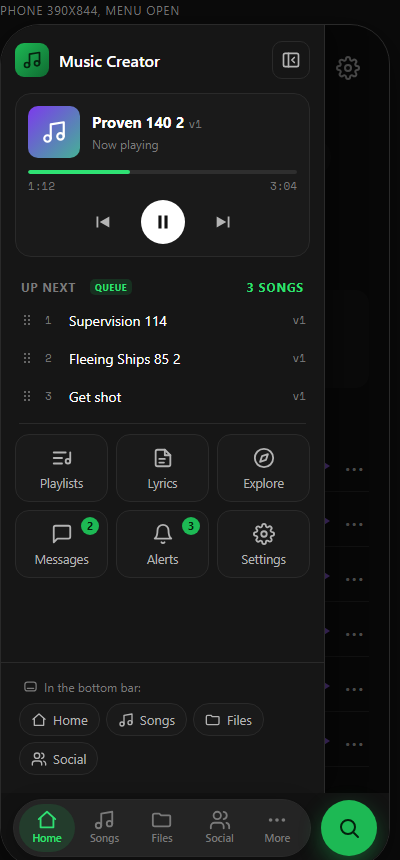
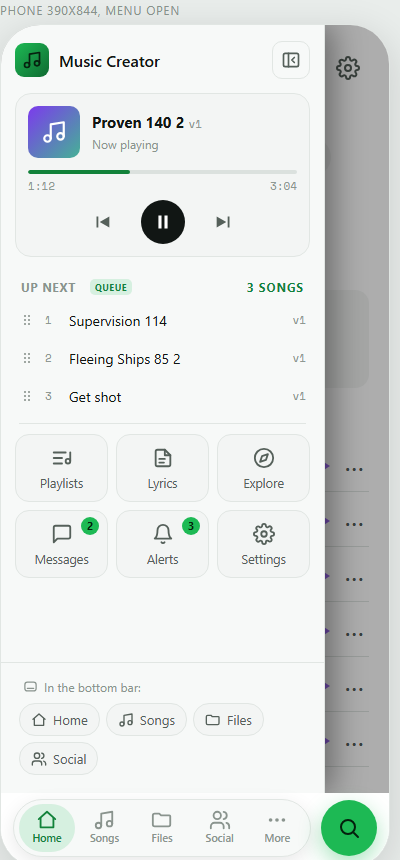
05 Now playing + queue
A mini player and 'Up next' queue on top, then the other destinations as a tile grid. The player works: play, pause, progress.
More: Queue moves out of the More popup into this sidebar; the popup keeps the rest.
Open clickable →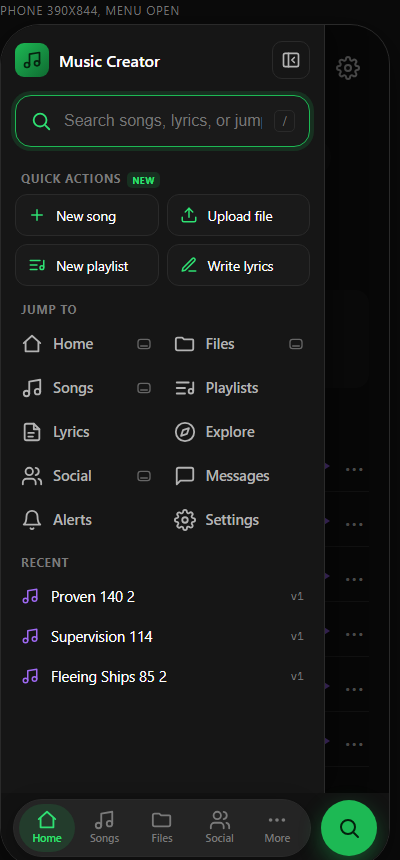
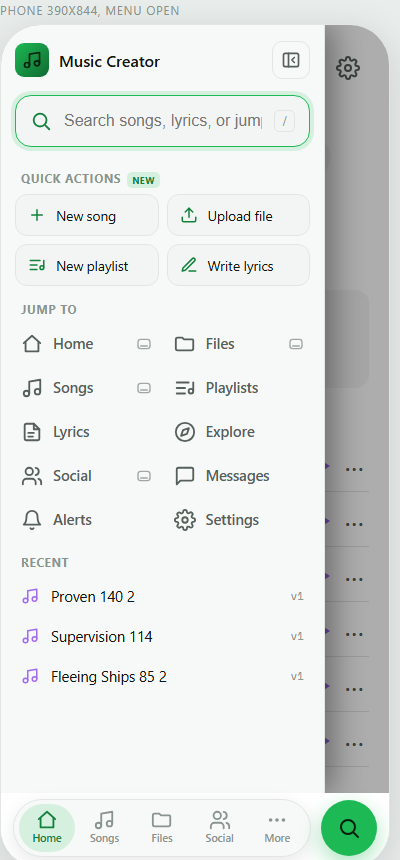
06 Search-first command bar
A big 'search or jump to' box at the top. Type 'pro' and it filters destinations and songs live. Quick actions and a compact jump grid under it.
More: The round Search button still opens v4 inline search. More opens this panel with the cursor in the command bar, so More becomes 'jump anywhere'.
Open clickable →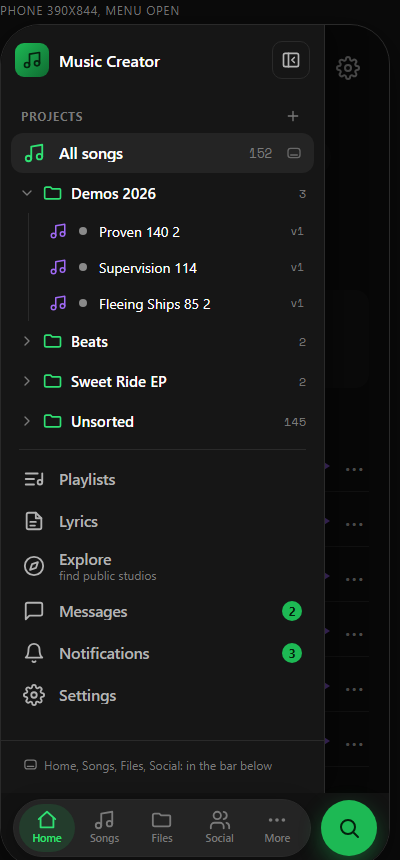
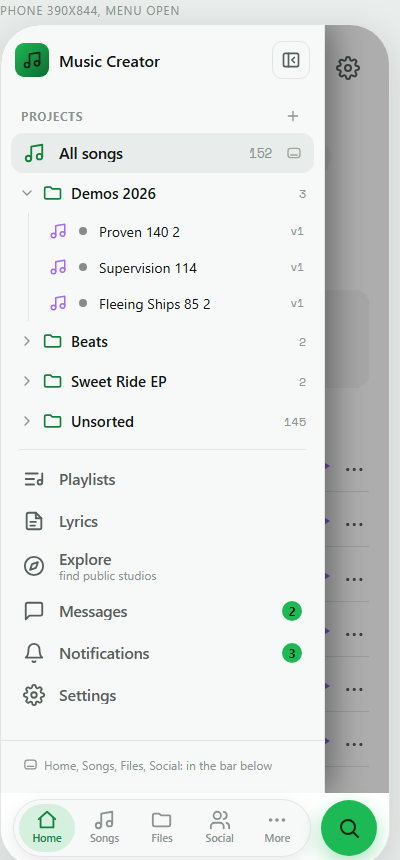
07 Project / album tree
Files as a tree of projects that open to show their songs, with status dots. Everything else sits under a rule.
More: More popup unchanged. The sidebar becomes the place you browse by project.
Open clickable →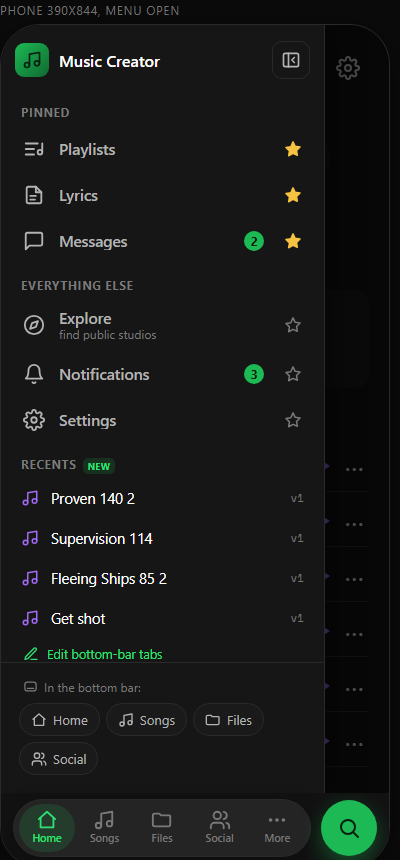
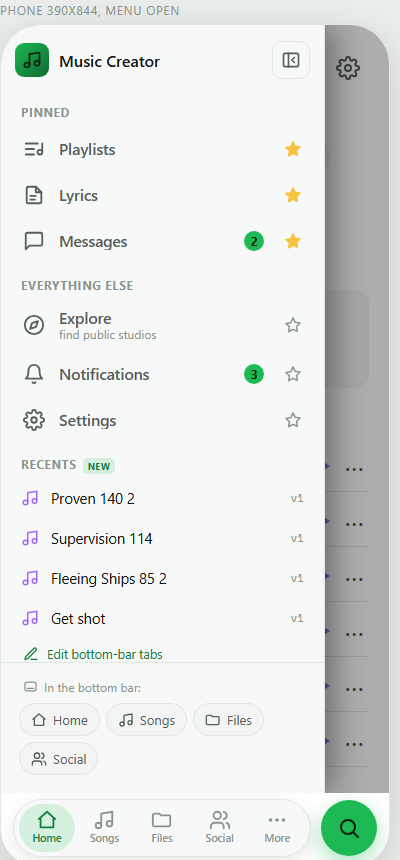
08 Pinned + recents
You choose what sits on top: tap the star to pin or unpin. Then everything else, then recents. The stars work.
More: More popup shows only what you pinned here, plus Edit tabs, so the popup and sidebar stay in sync.
Open clickable →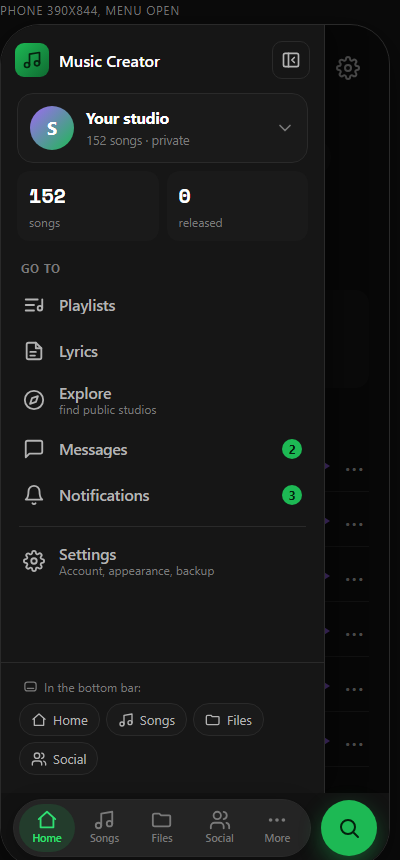
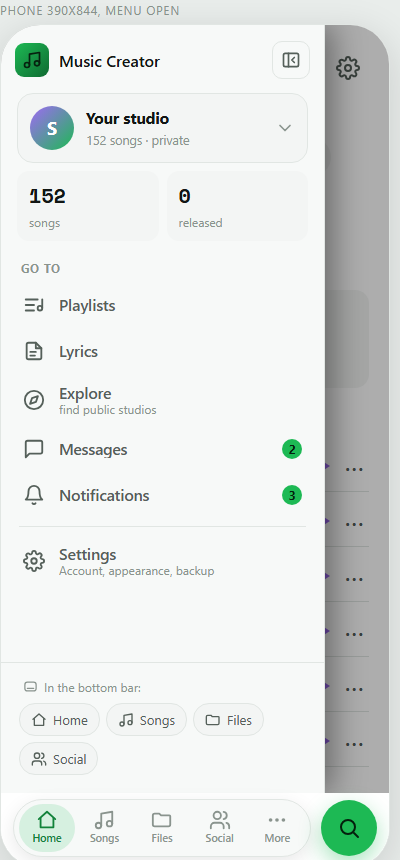
09 Profile / workspace switcher
Account card on top with a studio switcher (tap it), mini stats, then the destinations. Settings gets a two-line row.
More: More popup trims to Queue, Search and Edit tabs, since Messages, Notifications and Settings now live in the sidebar.
Open clickable →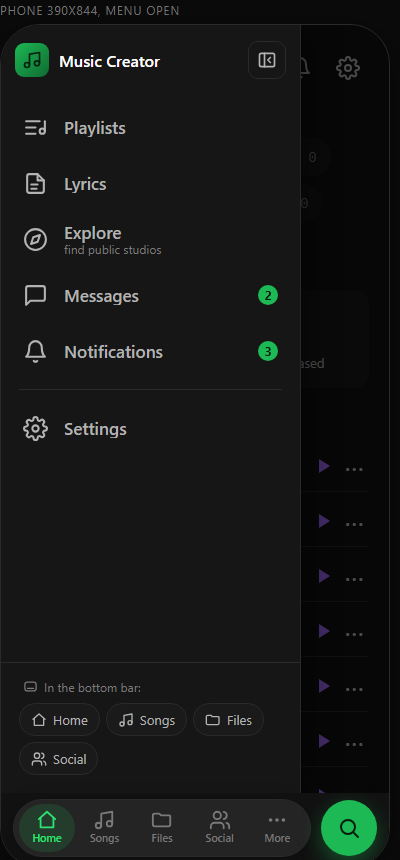
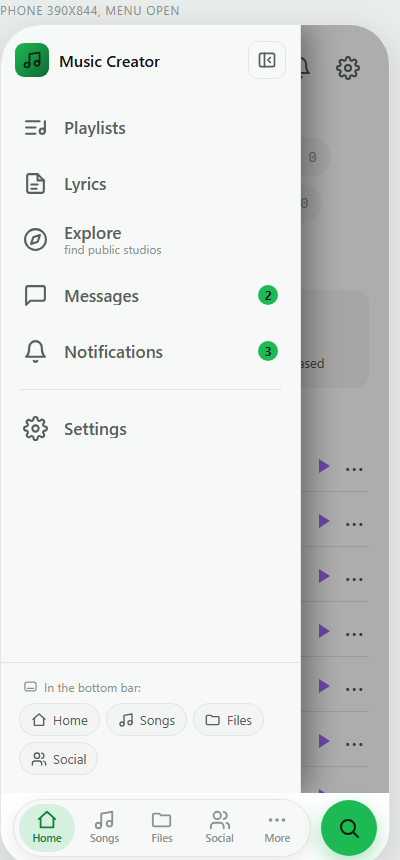
10 Minimal: only what the bar lacks
Six big rows and one line saying the rest is in the bottom bar. Least to read, easiest to tap.
More: More simply opens this sidebar (same 6 things the popup mostly held), so there is one menu, not two.
Open clickable →